DSPLAY for Developers
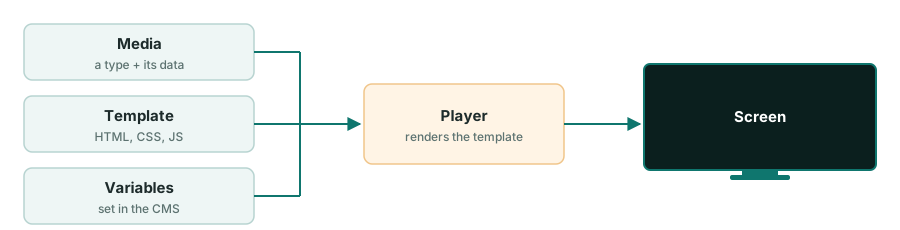
Most of what DSPLAY shows on a screen is rendered by an HTML template: images, clocks, news, weather, social posts, lottery results, menu boards. Only video, audio, websites and YouTube play natively. A template is just a web page, so you control how it looks, and you can use, change or build any of them.
What do you want to do?
Create a template from scratch
Use React, jQuery, vanilla JavaScript or any framework that outputs HTML and JavaScript. A template is a folder with an index.html, zipped.
Create a template from scratch
Customize a system template
Tune an official template with its variables, with no code, or copy its source and change anything.


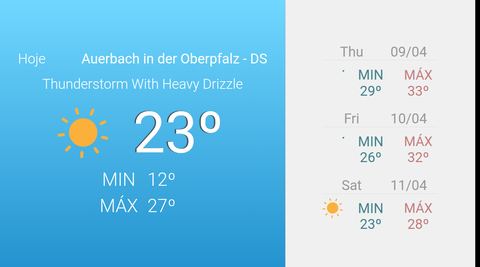
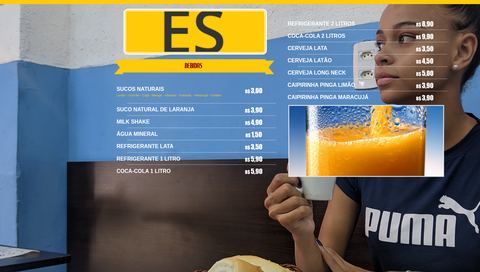
Customize a system template · All the official templates
Integrate a data source with a JSON service
Write one endpoint that returns JSON and a template that renders it, to show data from anything reachable over HTTP.

Integrate with the DSPLAY API (partners)
If you are a DSPLAY partner, create customer accounts straight from your own website or system with the DSPLAY API.
Reference
- HTML Templates: overview, SDKs, local development and packaging.
dsplay_media: the data each media type gives to a template.- Examples: the official templates.
- Partners: sell DSPLAY to your own customers and manage their accounts.