Example: hello service
A complete integration in two small pieces: a service that returns a greeting, and a template that shows it.
The service
A Node.js server with no dependencies. GET /?name=DSPLAY returns a greeting valid for one minute.
const http = require('http');

const TTL_MS = 60 * 1000; // how long the player may keep using a result

http.createServer((req, res) => {
  const url = new URL(req.url, 'http://localhost');
  const name = url.searchParams.get('name') || 'World';

  res.setHeader('Content-Type', 'application/json; charset=utf-8');

  if (name.length > 50) {
    // errors are plain JSON too: the player won't show the media and retries later
    res.statusCode = 400;
    res.end(JSON.stringify({
      error: { message: 'name is too long' },
      expiresAt: new Date(Date.now() + 10 * 60 * 1000).toISOString(),
    }));
    return;
  }

  res.end(JSON.stringify({
    expiresAt: new Date(Date.now() + TTL_MS).toISOString(), // when the player should fetch again
    showOutdated: true, // keep showing the last result if a refresh fails
    data: {
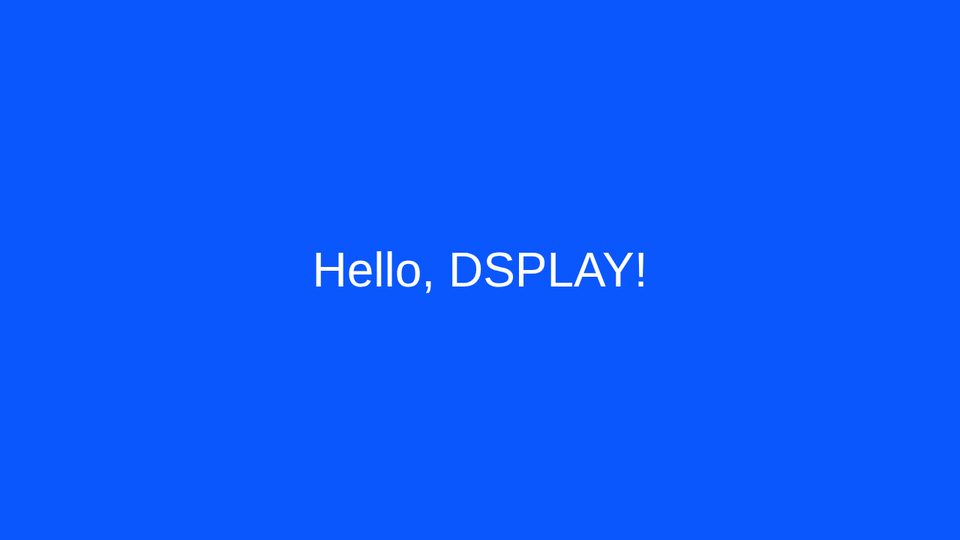
      greeting: `Hello, ${name}!`,
      generatedAt: new Date().toISOString(),
    },
  }));
}).listen(8080);
Response:
{
  "expiresAt": "2026-10-11T17:35:55.445Z",
  "showOutdated": true,
  "data": {
    "greeting": "Hello, DSPLAY!",
    "generatedAt": "2026-10-11T17:34:55.446Z"
  }
}
The service must be reachable by the player over the internet. To use a service that needs a key, add it as a header in the media.
The template
Use the HTML and CSS of the welcome card from Create a template from scratch, with a background color and a bigger font in styles/main.css:
#root {
  background-color: #0a57fe;
  color: #ffffff;
  font-size: 4em;
}
In scripts/app.js, the template reads result from the media with @dsplay/template-utils:
var u = dsplayTemplateUtils;
var data = u.media.result.data; // the service response

document.querySelector('.message').textContent = data.greeting;
document.querySelector('#root').style.opacity = 1; // the boilerplate hides #root until you show it
To develop it locally, mock the service response in scripts/dsplay-data.js. In production the player replaces it with the real one:
var dsplay_media = {
  duration: 15000,

  // JSON Service specific
  result: {
    expiresAt: '2030-01-01T00:00:00.000Z',
    showOutdated: true,
    data: {
      greeting: 'Hello, DSPLAY!',
      generatedAt: '2026-10-11T17:34:55.446Z',
    },
  },
};
Using it
- Run the service somewhere the player can reach, e.g.
https://my.service/?name=DSPLAY. - Zip the template (
npm run zip) and upload it in the CMS. - Create a JSON Service media with the service URL and select the template.
- Add the media to a playlist.